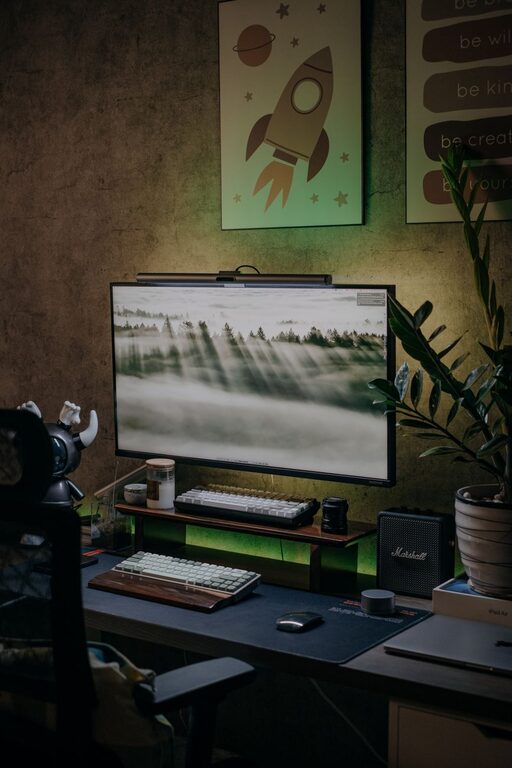

Creating a well-organized home office can make a significant difference in how efficiently you work and how comfortable you feel throughout the day. Whether you’re working remotely full-time or need a dedicated space for occasional tasks, a tidy, thoughtfully arranged workspace helps reduce distractions and promotes focus. In this post, we’ll explore simple tips for organizing your home office to boost both productivity and comfort.
Why Organizing Your Home Office Matters
A cluttered, chaotic workspace can make it difficult to concentrate and increase feelings of stress. On the other hand, an orderly environment encourages a clear mind, making it easier to complete tasks effectively. Organization also helps you find what you need quickly, saving time and frustration.
Step 1: Choose the Right Location
Picking the right spot for your home office is the foundation of an organized workspace.
– Pick a quiet area: Find a place with minimal noise and distractions.
– Good natural light: Position your desk near a window if possible to boost mood and reduce eye strain.
– Sufficient space: Make sure there’s enough room for your desk, chair, and necessary equipment.
Step 2: Declutter Your Desk
A clean desk is key to staying focused and productive.
– Keep only essentials: Limit items on your desktop to the tools you use daily, such as your computer, a notebook, and a pen.
– Regular cleaning: Clear your desk at the end of each day to maintain a fresh start tomorrow.
– Use cable organizers: Tidy up cords and cables to reduce visual clutter.
Step 3: Maximize Storage Solutions
Good storage makes it simple to keep your workspace neat and accessible.
– Use shelves and drawers: Store supplies, files, and electronics in designated spaces.
– Label containers: Easy-to-read labels help you find things quickly.
– Invest in organizers: Desk trays, pen holders, and file sorters keep small items sorted.
Step 4: Optimize Your Desk Setup for Comfort
Ergonomics play a large role in comfort and productivity.
– Comfortable chair: Choose an adjustable chair with proper lumbar support.
– Monitor height: Your computer screen should be at eye level to prevent neck strain.
– Keyboard and mouse placement: Keep them close enough to avoid over-reaching.
Step 5: Organize Digital Files
An organized physical space paired with organized digital files can streamline your workflow.
– Create folders: Group files logically by project or topic.
– Clean your desktop: Avoid too many icons on your computer desktop.
– Backup regularly: Protect your data by backing it up frequently.
Step 6: Personalize to Boost Motivation
Add a personal touch to your workspace to make it inviting and inspiring.
– Add plants: Small indoor plants can improve air quality and mood.
– Incorporate artwork: Choose calming or motivating images.
– Keep natural light and ventilation: A well-ventilated room with fresh air helps keep you alert.
Step 7: Develop Daily Routines
Establish habits to keep your home office organized over the long term.
– Start with a tidy desk: Clear your space before you begin work.
– Schedule breaks: Regular pauses help avoid burnout and maintain focus.
– End of day wrap-up: Spend a few minutes returning items to their place and planning for the next day.
Bonus Tips for Small Spaces
If your home office is compact, these tips will help you maximize every inch:
– Use vertical storage: Wall-mounted shelves free up floor space.
– Choose multi-functional furniture: Desks with built-in storage save room.
– Keep it bright: Light colors and good lighting create a more spacious feel.
Conclusion
Organizing your home office doesn’t have to be complicated. By choosing the right location, maintaining a clutter-free desk, optimizing storage and comfort, and personalizing your space, you create an environment where work feels easy and enjoyable. With these simple tips, you’ll be better equipped to focus, stay motivated, and accomplish your daily tasks with ease. Start small, and watch your productivity and comfort grow. Happy organizing!
About the Author